
Built for your next move
Your whole job search.One app.
PathBuild scores every job 0–100, prepares each application, and fills supported employer forms — then submits after you approve. Employer replies come back to one place.
You approve every application.
Some roles are external-apply or need one quick secure step from you.
The core loop
From swipe to sent
See the fit, swipe, and let PathBuild prepare each application. You review once and approve — then replies come back to one place.
 01 / 06
Find a stronger match
See the fit before spending time applying — a 0–100 score with the reasons behind it.
- 02 / 06
Swipe right
One swipe adds the role to Applications. PathBuild starts preparing it. Nothing is submitted yet.
 03 / 06
PathBuild prepares it
It fills what it knows from your profile and résumé, and asks only for what's missing.
- 04 / 06
Review once
You always see what will be shared with the employer before anything is sent.
- 05 / 06
Applied
PathBuild submits supported applications after your approval. Some roles are external-apply or need one secure step.
- 06 / 06
The company replies
Real employer replies come back into one place, linked to the application.
Real screens
Not a mockup. The product.
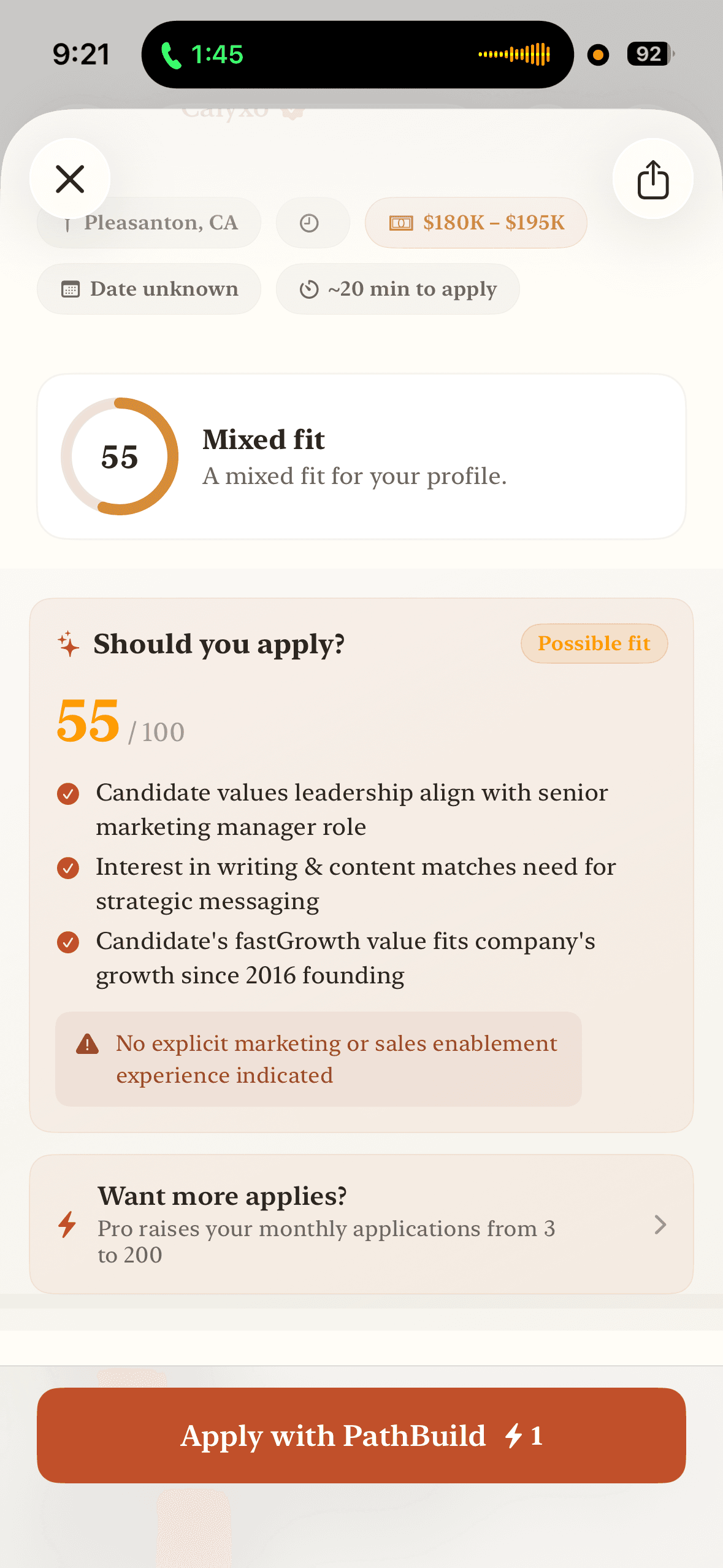
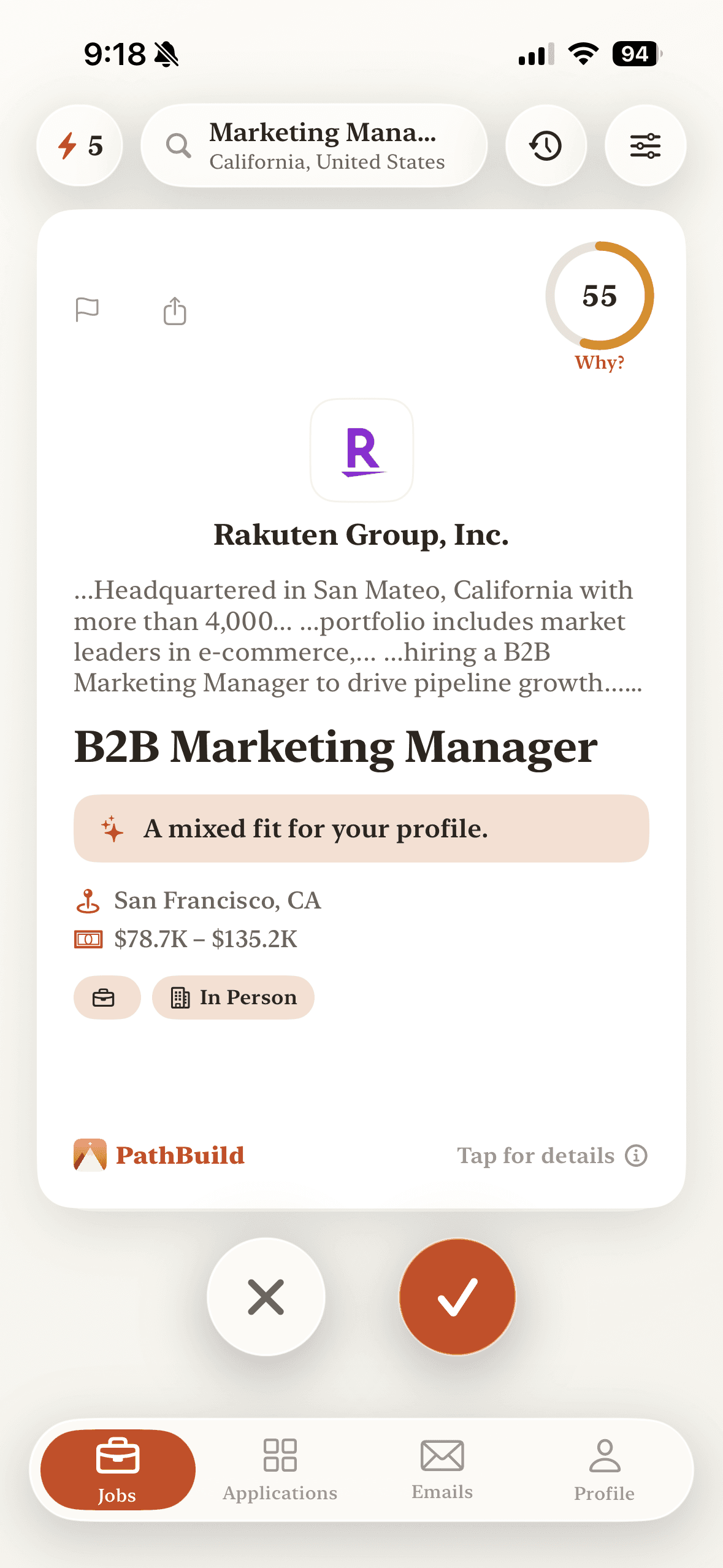
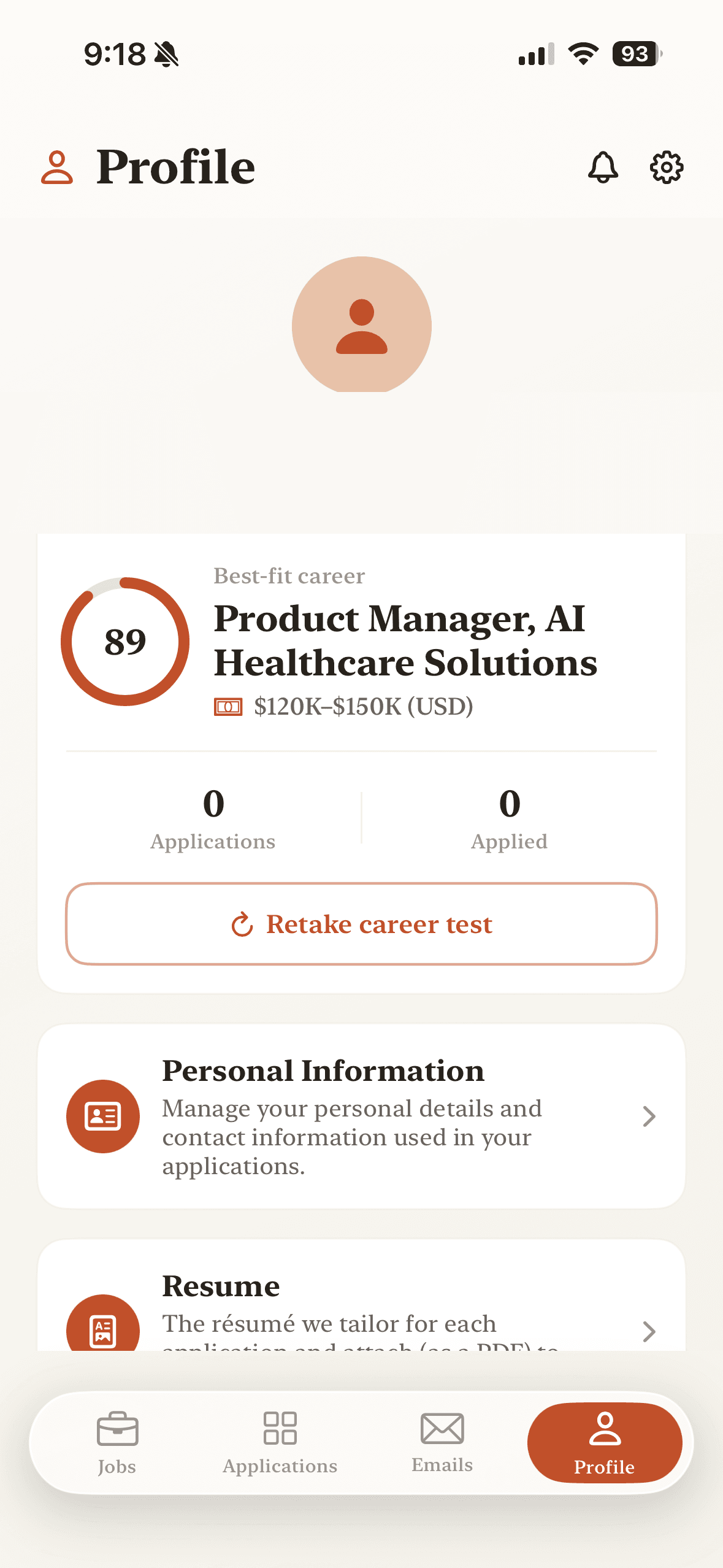
These are real screens from PathBuild on iPhone — the same fit scores, application prep, and profile you use every day.
Swipe through real roles. Every card carries a 0–100 fit score and the reasons behind it.
See why a job fits, then apply. Nothing is submitted until you review and approve it.
Your profile and résumé power every application, tailored to each role.
In your control
Built to stay in your control
PathBuild only shares what you approve, asks before it guesses, and lets you remove everything from the app.
- You review before anything is submitted.
- Your documents stay attached to your account.
- Sensitive questions are never guessed — PathBuild asks you.
- Verification or CAPTCHA pauses for your action.
- Employer replies stay linked to the application.
- Delete your account and data from the app anytime.
One inbox for your search
Employer replies, in one place.
When an employer responds, the reply returns into PathBuild and stays linked to the application you sent — so your whole search lives in one app instead of a scattered email inbox.
You approve, PathBuild submits
Supported employer forms go out only after you review and approve them.
The employer replies
When a company responds, the reply comes back into the app.
Linked to the application
Each reply stays attached to the role you applied to — not a separate inbox.
Pricing
Start free. Go Pro when you're moving fast.
Free
$0to start
Score jobs, prepare applications, and track replies.
- Job search with a fit explanation on every role
- Save jobs and build your application list
- A limited number of included in-app applications
- Track every application and its status in one place
PathBuild Pro
$9.99/month
Current founding-member pricing · billed through Apple
- Everything in Free
- Unlimited in-app applications — each submitted only after you approve
- Application materials tailored to each job
- Notifications when employers reply
$9.99/month — current founding-member pricing. No free trial. Subscription auto-renews until cancelled; cancel anytime in Settings → Apple ID → Subscriptions → PathBuild. Prices may vary by region, and the exact price is shown in the app before purchase.
FAQ
Common questions
What is PathBuild?
PathBuild is an iPhone job-search and application assistant. It scores every job 0–100 for fit, prepares each application from your profile, fills supported employer forms, and submits after you approve — then keeps employer replies in one place.
Does PathBuild apply to jobs for me?
Yes — for supported employer forms, PathBuild submits your application after you review and approve it. Some roles are external-apply (you finish on the employer's site) or need one secure step from you, such as a verification or CAPTCHA. You approve every application before anything is sent.
Is anything submitted without my approval?
No. PathBuild prepares applications, but nothing is sent until you review exactly what will be shared and approve it.
What's free?
Job search with fit explanations, saved jobs, application tracking, a limited number of included in-app applications, and employer replies in the PathBuild inbox are all free. Upgrade to Pro for unlimited in-app applications and application materials tailored to each job.
How much does PathBuild Pro cost?
PathBuild Pro is $9.99/month — current founding-member pricing, billed through the Apple App Store. There is no free trial. Prices may vary by region, and the exact plan and price are always shown in the app before you subscribe.
How do I cancel?
Cancel anytime in Settings → Apple ID → Subscriptions → PathBuild. Cancellation takes effect at the end of the current billing period, and you keep Pro access until it expires.
How is my data handled?
Your profile and documents stay attached to your account. PathBuild shares application information with an employer only when you review and approve that specific application. You can delete your account and data from inside the app at any time.
What devices does PathBuild support?
PathBuild is built for iPhone. More platforms may follow.
Your next move, one app away.
Score jobs, prepare each application, and apply after you approve — all on your iPhone.
You approve every application.